
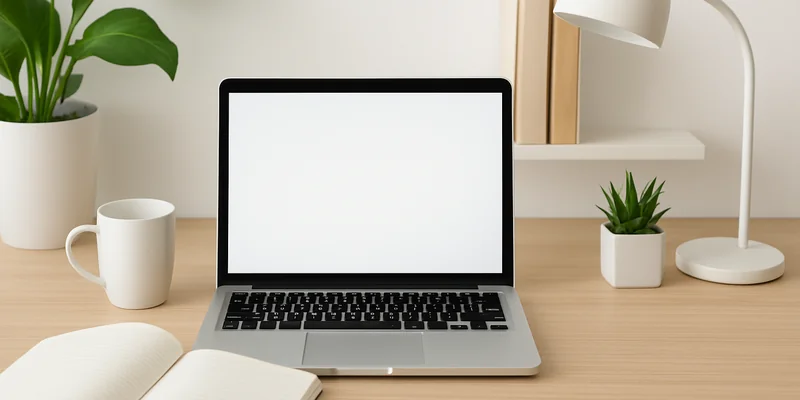
A cluttered office can make it harder to focus and find the things you need. Papers pile up, office supplies get scattered, and your desk slowly becomes crowded with items you rarely use. The good news is that you do not need a complete office makeover to fix this.
A few simple steps can help you clear your workspace and keep it organized. Here is how to declutter your office and create a cleaner, more comfortable place to work.
Step 1: Remove Everything From Your Desk
Start by removing everything from your desk. Take away papers, notebooks, pens, mugs, cables, and other items sitting on the surface. This gives you a clear view of how much space you have and makes it easier to clean.
Place everything on another surface temporarily. Do not put items back just because they were already there. You will decide what deserves a place on your desk in the next step.
Step 2: Sort Items Into Keep, Move, and Discard Piles
Go through everything you removed and sort it into three groups:
- Keep: Items you use regularly, such as your laptop, notebook, and a few pens.
- Move: Things that belong somewhere else, such as books, personal items, and documents that need filing.
- Discard: Broken supplies, old notes, empty packaging, and anything you no longer need.
Be honest about what you actually use. If you have not touched something in months and it has no real purpose, consider getting rid of it.
Step 3: Get Rid of Unnecessary Paperwork
Paperwork can quickly take over an office. Old bills, printed emails, meeting notes, and unused documents often end up in random piles.
Go through your papers and separate them into three groups:
- Documents you need to keep.
- Papers that need action, such as forms or bills.
- Papers you can recycle or shred.
Put important documents in labelled folders or a filing cabinet. If you regularly receive digital copies, consider saving them on your computer instead of printing them.
Step 4: Organize Office Supplies
Pens, markers, staplers, sticky notes, and paper clips are easy to collect but can make your desk look messy.
Keep the supplies you use regularly in a small desk organizer. Store extra items in a drawer or storage box. Throw away dried-out markers, empty pens, and broken supplies.
You do not need several versions of the same item sitting on your desk. Keep only what you need for everyday work within easy reach.
Step 5: Sort and Manage Cables
Loose cables can make even a clean desk look untidy. They can also get tangled and make it difficult to move your devices.
Start by identifying which cables belong to your computer, monitor, phone, and other equipment. Remove any cables you no longer use. Then use cable clips, ties, or sleeves to keep the remaining ones together.
You can also attach cable clips to the back or underside of your desk to keep wires out of sight.
Step 6: Clean Out Drawers and Storage Spaces
Decluttering your desk is not enough if the drawers are still full of unnecessary items. Open each drawer and remove things you no longer need.
Group similar items together. For example, keep stationery in one section, charging accessories in another, and important documents in a separate folder.
Small drawer dividers or storage boxes can help prevent items from getting mixed up. Avoid filling every empty space just because you have room.
Step 7: Organize Your Computer and Digital Files
Office clutter is not always physical. A desktop full of random files, screenshots, downloads, and unused folders can also make it harder to find things.
Start by deleting duplicate files and items you no longer need. Create a few main folders for work documents, personal files, projects, and other important information.
Give your files clear names so you can find them easily later. Also, clear your downloads folder and remove unused shortcuts from your computer’s desktop.
Step 8: Create a Place for Everything
Once you have sorted your belongings, decide where each item should go. Frequently used items should be easy to reach, while things you rarely need can stay in drawers or cabinets.
For example, keep your notebook and pens near your working area. Store extra paper and supplies in a drawer. Place important documents in labelled folders.
Having a specific place for everything makes it easier to put things away after use and prevents clutter from building up again.
Step 9: Clean Your Desk and Office Surfaces
Now that your desk is mostly empty, give it a proper cleaning. Wipe the desk, shelves, drawers, keyboard, and other surfaces. Remove dust and any stains before putting your belongings back.
Also, clean your monitor and other electronics using suitable cleaning materials. Avoid spraying cleaning products directly onto electronic devices.
A clean workspace makes the final organization more effective and gives your office a fresh appearance.
Step 10: Keep Your Desk Clutter-Free
After putting in the effort to declutter, make a few simple habits part of your daily routine.
Put items back in their proper places after using them. Avoid leaving unnecessary papers and personal belongings on your desk. Spend a few minutes at the end of each workday clearing the surface.
Also, review your drawers and storage spaces occasionally. This helps you catch small messes before they turn into another big decluttering task.
Pro Tips for Keeping Your Office Organized
Here are a few additional tips to make office organization easier:
- Use vertical storage: Wall shelves and organizers can free up desk space without taking up more floor area.
- Keep a small trash bin nearby: This makes it easier to throw away unnecessary papers and packaging instead of leaving them on your desk.
- Limit desk decorations: A few personal items can make your office comfortable, but too many can take up useful space.
- Use labels: Label folders, storage boxes, and drawers so you can find things without searching through everything.
- Avoid unnecessary purchases: Before buying another organizer or storage box, check if you already have something that can do the job.
- Follow the one-minute rule: If putting something away takes less than a minute, do it immediately instead of leaving it for later.
Final Words
Decluttering your office does not have to be a difficult task. Start by clearing your desk, sorting your belongings, and removing things you no longer need. Then organize your supplies, paperwork, cables, and digital files.
Once everything has a proper place, spend a few minutes each day maintaining your workspace. These simple habits can help you keep your office clean and make everyday work easier.
Frequently Asked Questions
1. How often should I declutter my office?
A quick cleanup every day can help keep your office organized. Do a deeper decluttering session every few months.
2. What should I keep on my office desk?
Keep only the items you use regularly, such as your computer, notebook, pens, and phone. Store extra supplies and documents in drawers or cabinets.
3. How do I keep my office desk from getting messy?
Put items back in their proper places after using them. Also, spend a few minutes clearing your desk at the end of each workday.
4. How can I organize office paperwork?
Sort documents into folders based on their purpose or category. Label each folder so you can find important papers easily.
5. How can I declutter a small home office?
Use wall shelves, drawer organizers, and vertical storage to save space. Keep only essential items on your desk to avoid overcrowding.

Leave a Reply